윈도우에서 임의의 확장자 파일을 임의의 프로그램으로 강제로 연결하였을때,
해당 확장자만 연결프로그램을 삭제하는 방법
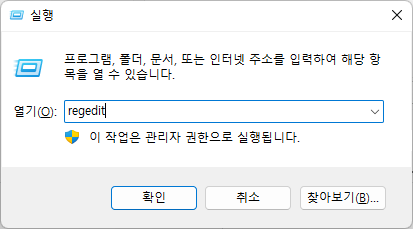
실행 [윈도우키 + R] 을 통해 regedit 레지스트리 편집기 실행
HKEY_CURRENT_USER – Software – Microsoft – Windows – CurrentVersion – Explorer – FileExts – .*** – UserChoice
UserChoice 트리 삭제

윈도우에서 임의의 확장자 파일을 임의의 프로그램으로 강제로 연결하였을때,
해당 확장자만 연결프로그램을 삭제하는 방법
실행 [윈도우키 + R] 을 통해 regedit 레지스트리 편집기 실행
HKEY_CURRENT_USER – Software – Microsoft – Windows – CurrentVersion – Explorer – FileExts – .*** – UserChoice
UserChoice 트리 삭제
 Korean